
Important:
You must access your account NOW!
Failure to do so may result in up to a 72 hour delay of activating your account
Brilliant Minds Brave Hearts Partner Program Set-Up Instructions
Thank you for joining the
Brilliant Minds Brave Hearts Partner Program (BMBH)!
Please be aware of the BMBH Partner Program
Terms and Conditions before proceeding.
Follow the steps below to setup your
BMBH Partner Program Account and Settings.
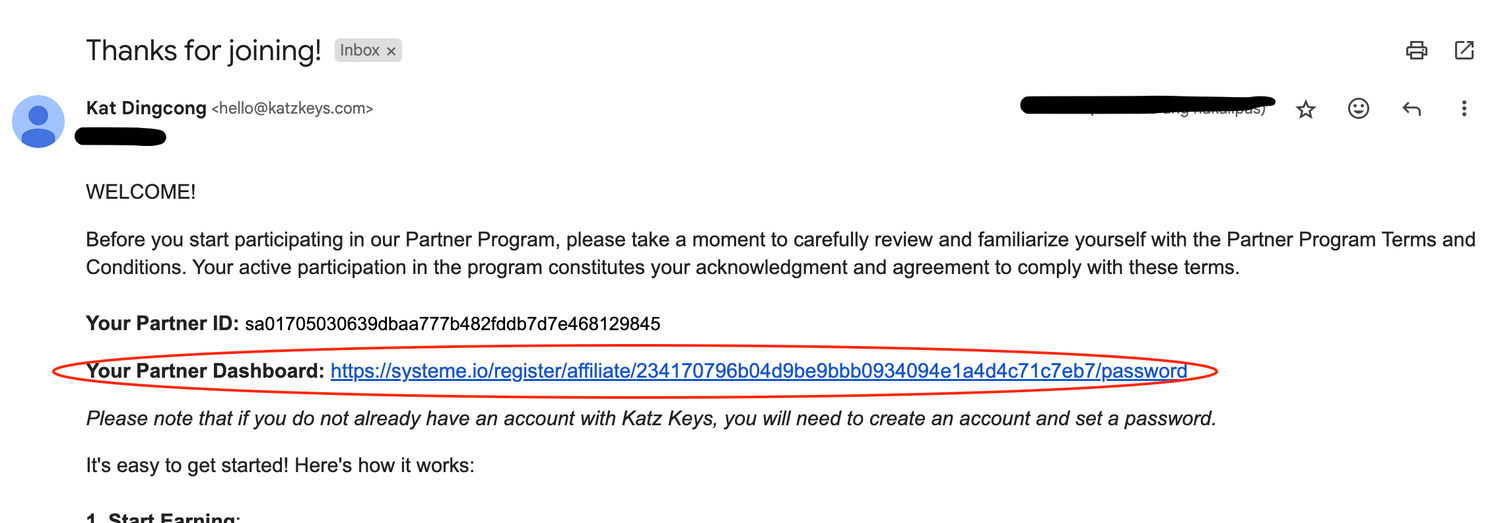
Check for an email with a subject heading "Thank you for joining the Brilliant Mind Brave Hearts Partner Program!" (It might be in your promotions folder or spam folder)

Click the Affiliate Dashboard link located in this email to access your dashboard. If you do not have a Brilliant Minds Brave Hearts account, please click this link to create your account and set your password
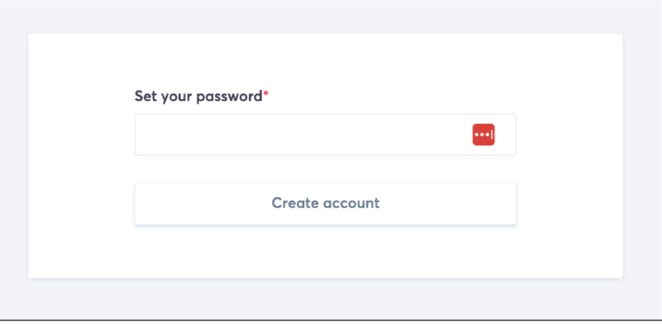
If you have new Brilliant Minds Brave Hearts account, set your password to proceed:
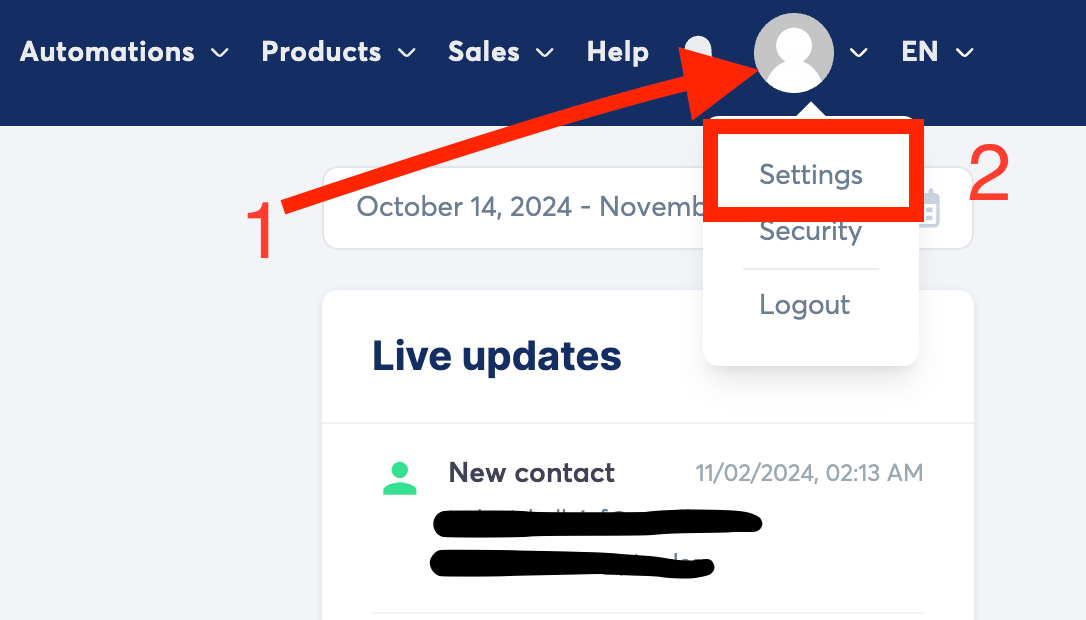
Click on your "Profile Picture" (Indicated as number 1 in the image) to access the menu. From the menu, select "Settings" (indicated as number 2 in the image).
Go to "Affiliate commissions payment settings" (number 3 in the image), then "Choose payment method" (number 4 in the image).
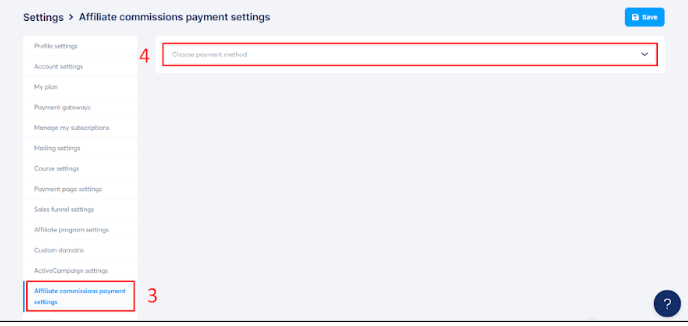
Select either "Paypal" or "Wire Transfer" to update your payment settings.Please note that wire transfer is only available as an option after you have made made an affiliate sale.

For PayPal, add the email address of your PayPal account, then save your method of receiving commissions. For Wire Transfer, add your bank details to receive your commissions.
If you have encountered any problems, do not hesitate to contact as at hello@katzkeys.com. Someone will get back to you no later than the next business day.